The CORE Library maintains a single reserve copy of many of the textbooks required for the DBH program. To learn which textbooks are available, consult the Textbook List, available at the CORE Library.
eBooks are not available for checkout. Upon access, you will have access to the book for two (2) hours.
- Important: The library copy is meant as a reserve copy. Often only one seat, or copy, is available, and the limitations of this single copy may mean that it is not available when you need it. The library version should not be considered a replacement for purchasing your own copy.
Can I Print, Save, or Download an eBook?
You may be able to print or save pages from the book for later, offline use. The amount that you may print, save, or download is determined individually for each book by the book's publisher. Check the book's record for more information.
- Search for the book in the CORE Library, and click on its title to access the record
- If the book is assigned reading in a course module, it is probably hyperlinked there. Click on the link to open the book and access its record.
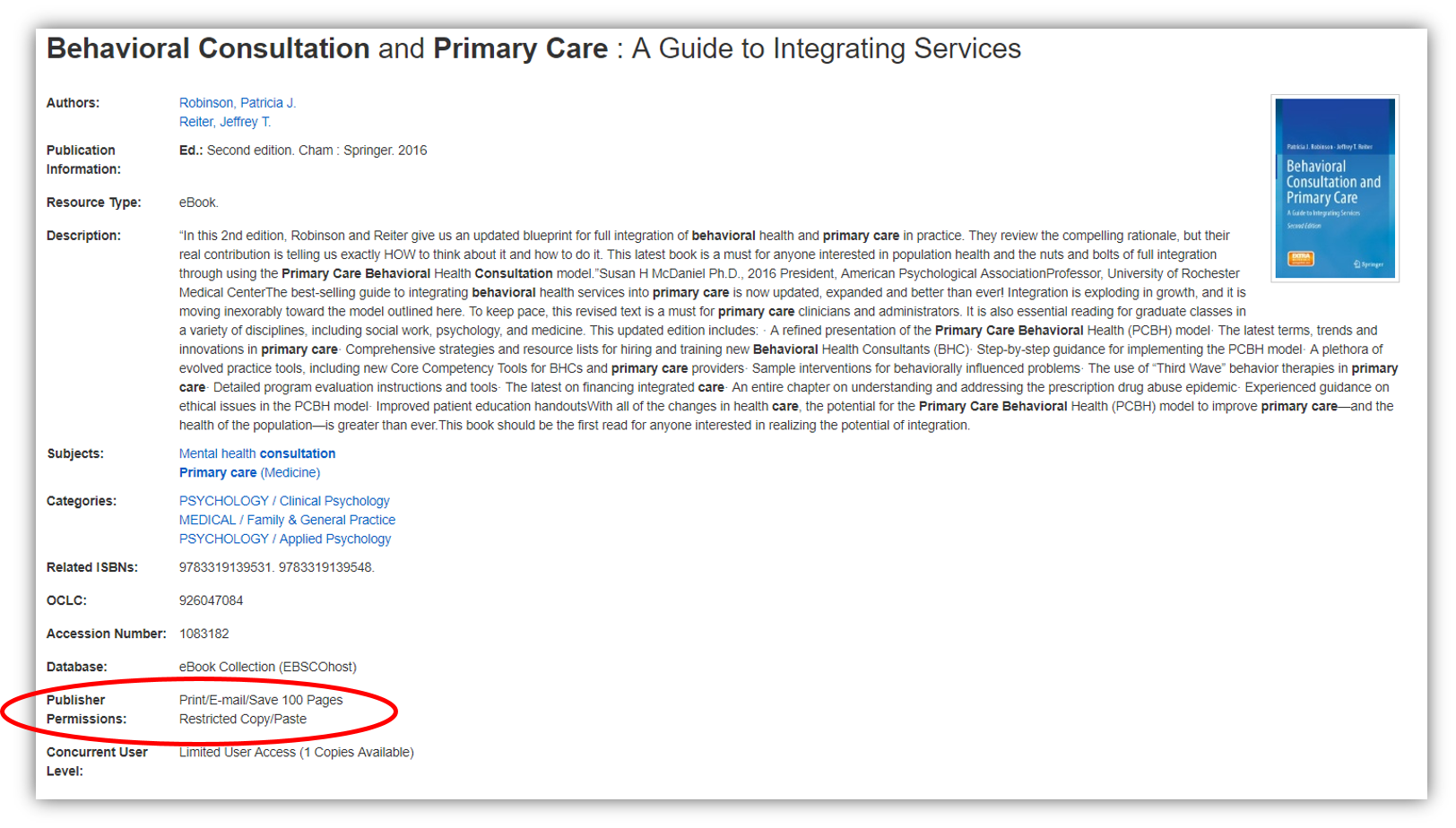
The record will include publisher permissions, which will tell you how many pages you can print, save, or download.
How to Print, Save, or Download
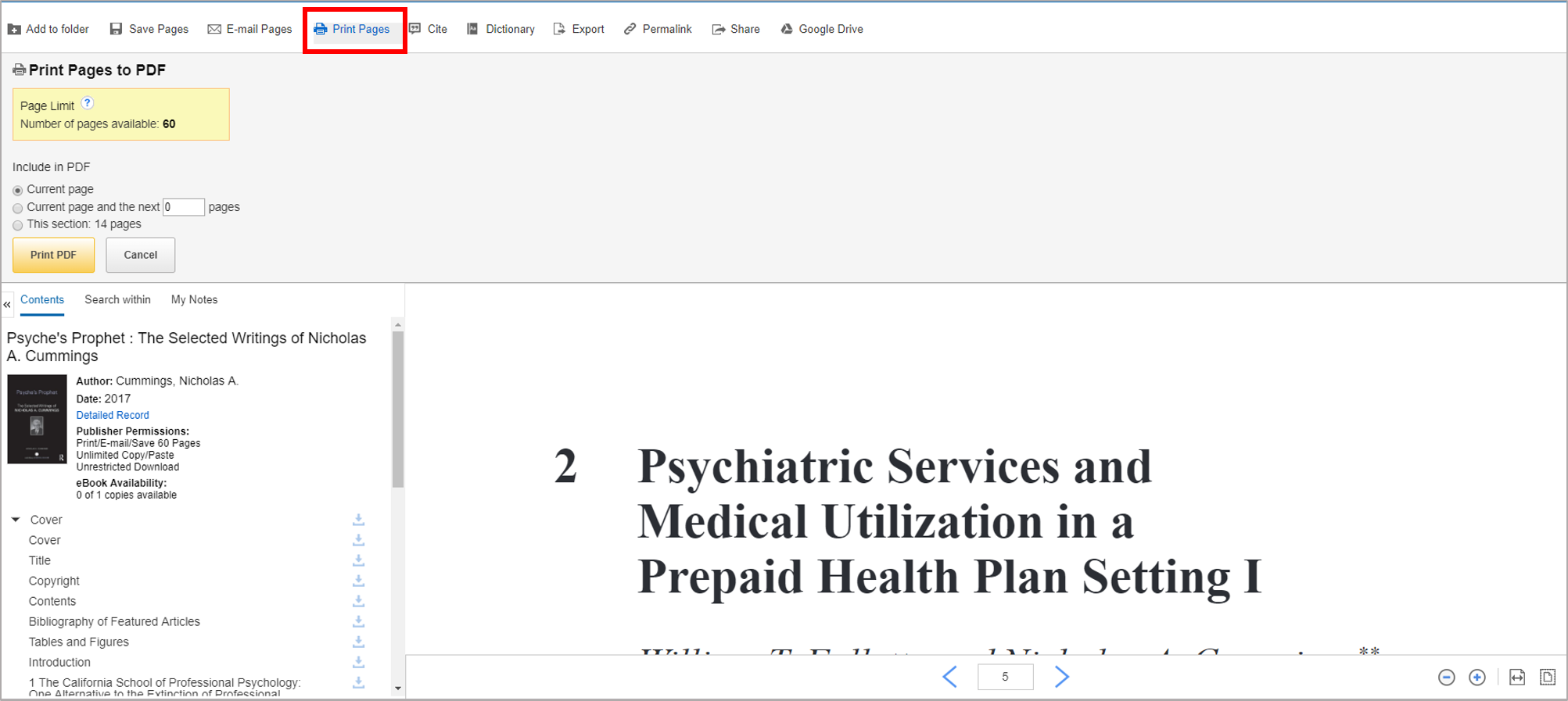
All functions are controlled through the Print command. Using this, you can print to a local printer or save the pages as a PDF. From there, you can print or view the pages on your local machine at any time.
- Open the book as a PDF.
- Look for the command to PRINT in the navigation.
- The publisher will set a limit as to how many pages you can print to PDF at this time. You can try printing multiple times (sometimes it works) or you may have to try a new session with the book at another time.